Question Types
Opinio provides every question type you need to collect meaningful data. Mix and match them freely within a single survey.
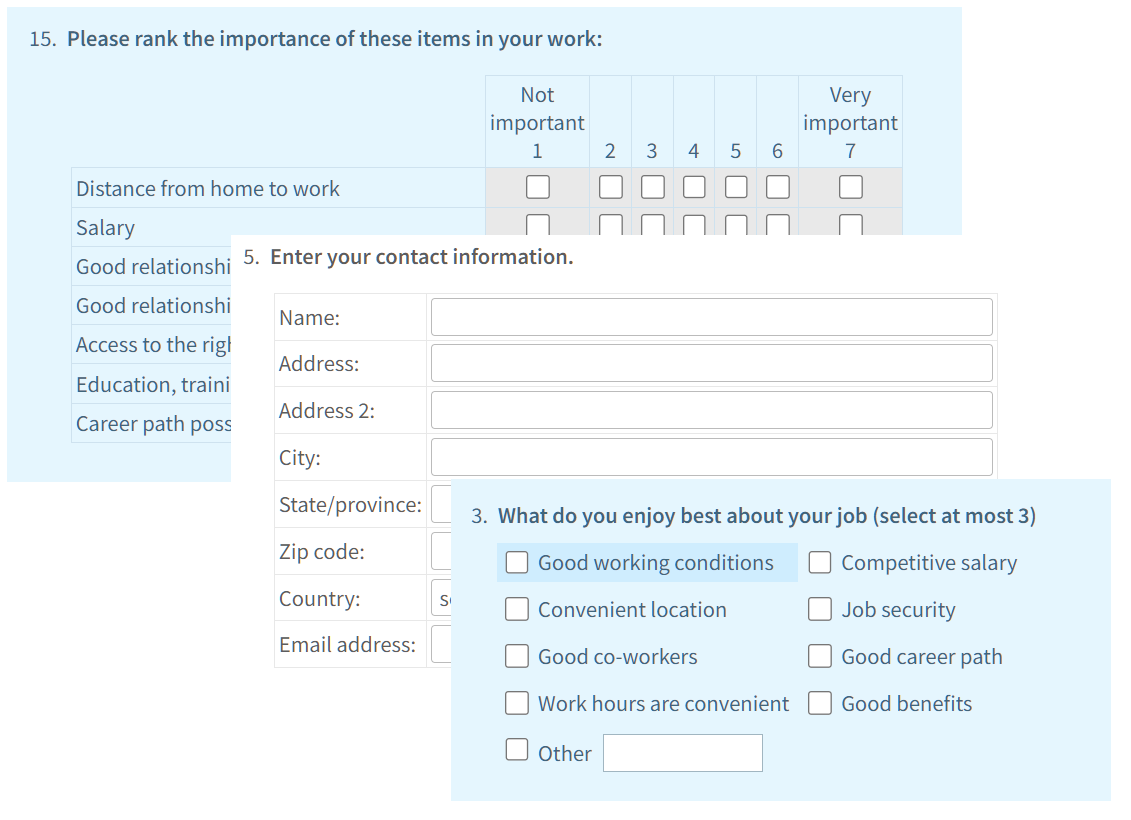
- •Radio button (single choice) — respondents pick exactly one answer from a list of options.
- •Checkbox (multiple choice) — respondents may select one or more options, with optional minimum/maximum selection constraints.
- •Dropdown list — a compact select control ideal for long option lists such as countries or departments.
- •Essay / open-text field — single-line or multi-line text boxes for qualitative, free-form answers.
- •Rating scale — numeric or labelled scales (e.g. 1–5, 1–10, or Likert labels) for satisfaction and opinion measurement.
- •Numeric input — enforces a number, with optional range validation (min/max) for collecting quantities, scores, or percentages.
- •Date picker — calendar widget for collecting dates, with before/after validation rules.
- •Matrix / grid — evaluate multiple items on a shared scale in a compact table, supporting both radio and checkbox sub-questions.
- •Ranking — respondents drag or number items to express their order of preference.
- •File upload — allow respondents to attach a file (document, image, etc.) as their answer.
Question Display Options
Fine-tune how every question appears and behaves to create a polished respondent experience.

- •Required fields — mark any question as mandatory; Opinio prevents form submission and highlights unanswered required questions.
- •Randomise answer order — shuffle response options on each page load to eliminate order bias.
- •Conditional visibility — show or hide a question based on answers to earlier questions, keeping the form relevant to each respondent. See Skip Logic for full details.
- •Question numbering — automatic sequential numbering that updates dynamically as you add, remove, or reorder questions.
- •Instructions & section headers — insert rich-text instructions or decorative section headings anywhere in the flow to guide respondents.
- •Question labels — internal short labels for reporting and data export, separate from the visible question text.
- •Answer piping — carry a respondent's earlier answer into later question text for a personalised experience. See Answer Piping for details.
Multi-Page Surveys
Long surveys are easier to complete when broken into logical pages. Opinio gives you full control over pagination.
- •Insert page breaks anywhere to create a step-by-step, wizard-style experience.
- •Each page can have its own title and introductory text.
- •A progress bar shows respondents how far through the survey they are.
- •Skip logic can branch respondents to a different page based on their answers.
- •Respondents can navigate back to previous pages to review or change answers before final submission.
Preview & Quality Assurance
Before publishing, verify your survey looks and works exactly as intended.
- •One-click live preview renders the survey exactly as respondents will see it.
- •Test responses can be submitted in preview mode without affecting real result counts.
- •Validation rules (required, numeric range, date constraints) are fully active in preview so you can verify error messages.
- •Skip-logic and piping paths are exercisable during preview to confirm branching works correctly.