
Live Reports
You don't have to wait until a survey closes to see results. Opinio generates live reports that update in real time as responses arrive. Open the report tab for any published survey and see charts appear with the first submission.
- •Response counts and percentages update with each new submission.
- •Drill down to view individual responses alongside the aggregate summary.
- •Open-text answers are listed verbatim and can be searched or sorted.
- •Response metadata — submission timestamp, respondent IP, and duration — is captured and viewable per response.
Chart Types
Choose the chart type that communicates your data most clearly. Opinio supports multiple chart formats per question.
- •Bar chart — horizontal or vertical, ideal for comparing option counts across multiple choices.
- •Pie chart — shows proportion of each option as a segment of the whole.
- •Donut chart — like a pie chart but with a hollow centre, useful when adding a central label or count.
- •Line chart — trend-over-time visualisation when reporting on date-stamped or sequential data.
- •Switch between chart types in one click — no need to re-run the report.
Filtering & Cross-Tabulation
Slice and dice your data to surface the insights that matter. Opinio's filtering and cross-tabulation tools let you compare response segments without exporting to a spreadsheet.
- •Date range filter — restrict the report to responses submitted within a specified date window.
- •Answer filter — show only responses where a specific question was answered with a specific value (e.g., "show only respondents who selected 'Enterprise' in the company size question").
- •Cross-tabulation — compare the distribution of one question's answers broken down by another question's answers, revealing correlations between segments.
- •Save filter and cross-tab configurations as named report views so you can re-run them instantly as new responses arrive.
Data Export
Export your raw data or summarised results in the format that works best for your downstream analysis workflow.
- •Excel (.xlsx) — one response per row with all question answers in columns, ready for pivot tables and further analysis.
- •CSV — comma-separated text export compatible with any data tool or scripting language.
- •SPSS (.sav) — export directly to SPSS format for advanced statistical analysis without manual data entry.
- •PDF report — generate a printable, branded PDF report containing all charts and summaries for stakeholder presentations.
- •Apply the same filters to your export as to the on-screen report, so the exported data reflects only the subset you care about.
Sharing Reports
Share your survey results with stakeholders who don't have an Opinio account — no login required on their end.
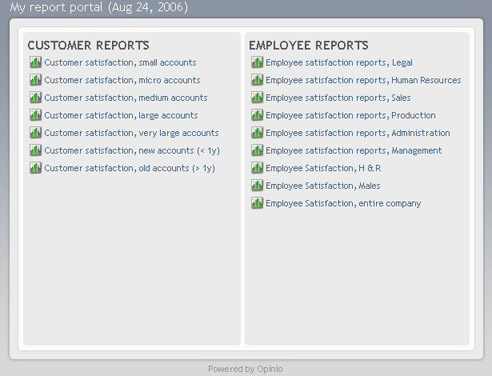
- •Publish a report via a public link — anyone with the URL can view the live charts without logging in.
- •Protect the shared report link with an optional password for confidential data.
- •Add your organisation's logo and brand colours to the shared report for a professional presentation.
- •Revoke the public link at any time to stop access to the live data.